TU Convocation Online Form Photo Size & Guidelines
PUBLISHED : 13th Oct 2026
TU Convocation Online Form Photo Size & Guidelines – Complete Guide
Graduating from Tribhuvan University (TU) is a monumental milestone. As the preparations for the upcoming TU Convocation in Poush 2083 kick off, thousands of eligible graduates are getting ready to fill out their online application forms, collect their transcripts, and rent their convocation gowns.
However, one of the most common hurdles students face during online form submission is getting rejected due to incorrect photo dimensions, file sizes, or background specifications.
At Photo Studio Service ([www.photostudioservice.com](https://www.photostudioservice.com)), we help graduates get everything picture-perfect. Here is everything you need to know about the TU convocation online form photo size, format, and requirements to ensure your application gets approved on the first try.
1. Official Photo Specifications for the TU Convocation Online Form
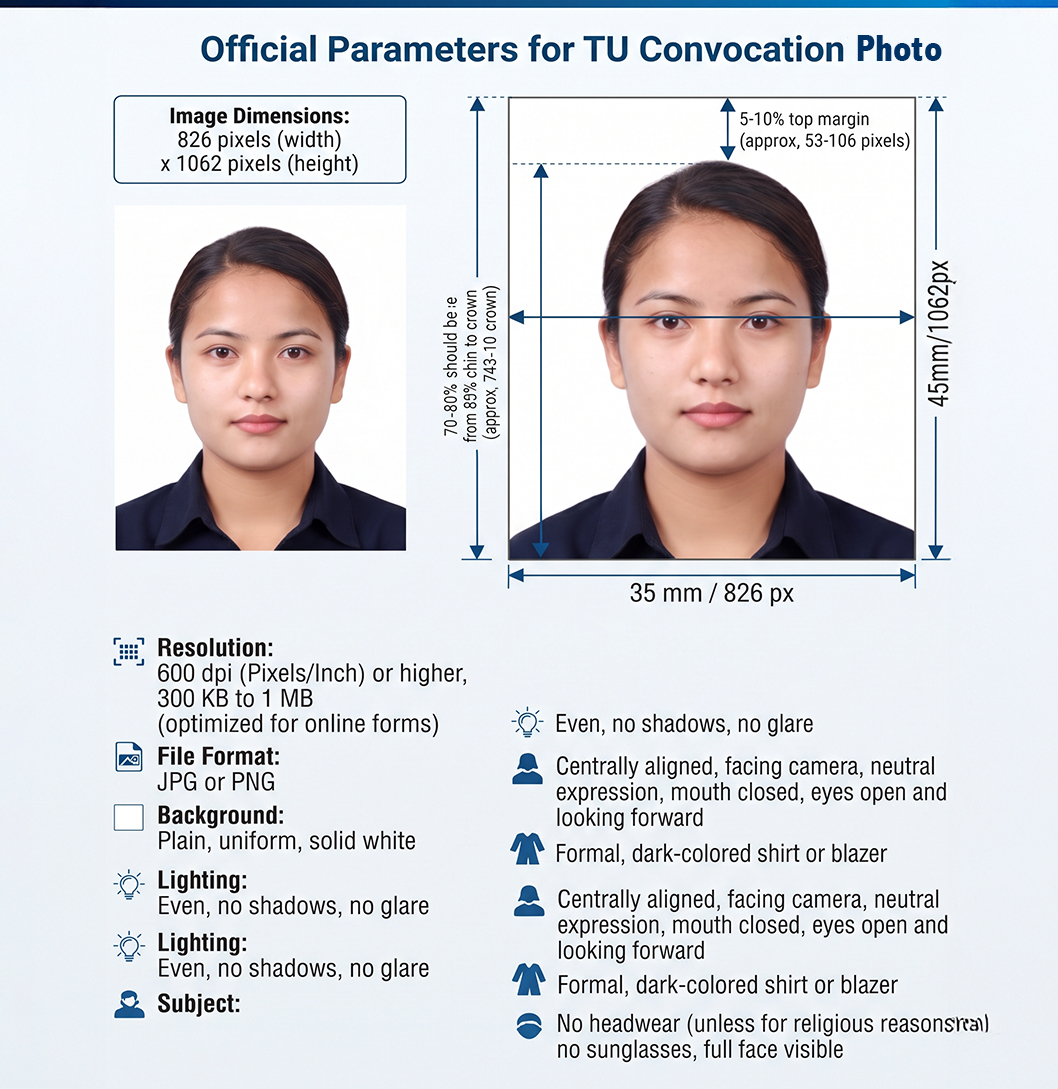
When uploading your image to the Tribhuvan University convocation application portal, generic mobile snaps often fail validation checks or get distorted. To guarantee acceptance, your digital photograph should adhere to these precise professional standards:
-
Exact Dimensions in Pixels: 826 × 1062 pixels
-
Resolution: 600 Pixels/Inch (ensuring high clarity for document verification)
-
File Size: Optimized to fall safely larger than 300 KB and less than 1 MB (preventing portal rejection due to low quality or size limits).
-
Photo Type: Standard MRP-size (Machine Readable Passport style) or formal portrait.
-
Background: Plain white background is mandatory. Avoid patterns, textures, or shadows.
-
Attire: Formal wear (shirt, coat, or blazer). While you will wear your convocation gown on ceremony day, a professional formal look is recommended for the digital database.
-
Expression & Posture: Neutral facial expression, eyes open, looking straight into the camera, with both ears clearly visible. Avoid heavy filters or digital retouching that alters your natural appearance.
-
File Format: High-resolution JPG or PNG.
2. Why Do Online Form Photos Get Rejected?
Many students try snapping a quick selfie or uploading an unoptimized phone picture. Here is why the portal or verification team might flag your photo:
-
Background Shadows: Poor home lighting often casts shadows behind your head. A professional studio setup ensures a uniform white backdrop.
-
Incorrect File Compression: If the file size is below 300 KB, it may pixelate and blur; if it exceeds 1 MB, the portal may fail to process the upload.
-
Accessories: Headwear (other than religious garments) and dark sunglasses are strictly prohibited.
3. Don't Forget Your Physical Prints for Verification!
While the online form requires an optimized digital copy, you will also need physical MRP-size photographs for:
-
Collecting your original transcripts and certificates from your college or TU examination controller office.
-
Processing your Gown/Scarf collection and university ID cards.
-
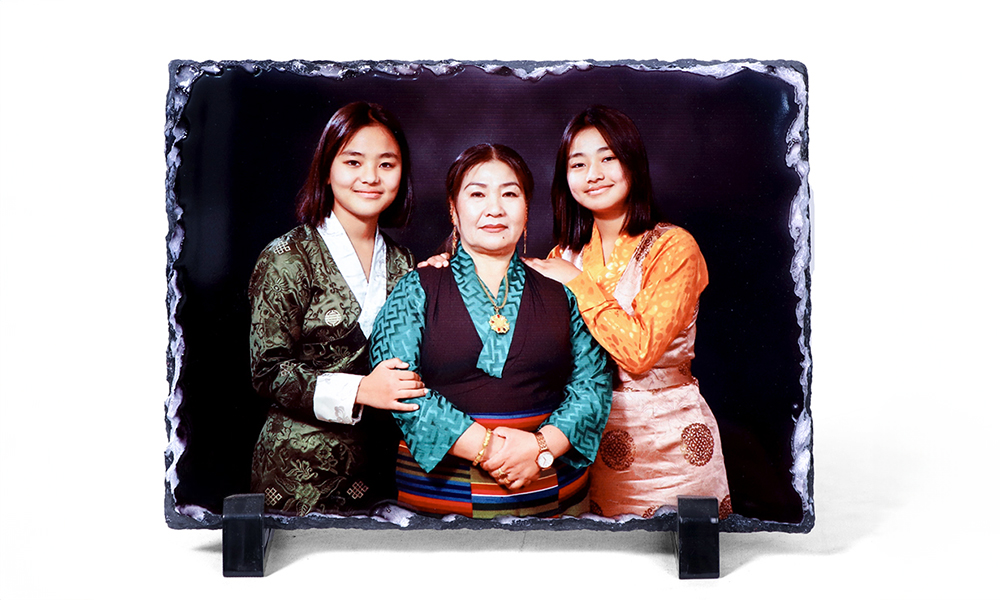
Family framing and keepsake portraits to celebrate your Poush 2083 graduation!
Get Your TU Convocation Photos Done Professionally at Photo Studio Service
Skipping the stress of cropping, resizing, and meeting exact pixel guidelines is easy when you leave it to the experts.
At Photo Studio Service, we specialize in official document photography, university form specifications, and premium graduation portraits.
What We Offer:
-
TU-Compliant Digital Photos: Formatted precisely to 826 × 1062 pixels at 600 resolution, guaranteeing a file size between 300 KB and 1 MB.
-
Instant Prints: High-definition MRP-size physical photos ready in minutes.
-
Convocation Packages: Professional studio portraits featuring caps, gowns, and faculty-specific color scarves, alongside high-end framing options to preserve your proudest moment.
Visit Us Today or Contact Us:
-
Website: www.photostudioservice.com
-
Drop by our studio to get your digital and printed photos sorted instantly before the TU convocation deadline approaches!
FAQ Section (For SEO & Quick Answers)
-
Q: What are the exact photo dimensions for the TU convocation online form?
-
A: The recommended dimensions are 826 × 1062 pixels at 600 resolution, which yields a clean file size between 300 KB and 1 MB.
-
Q: What background color is required?
-
A: A plain white background is strictly required by the university portal.
-
Q: Do I need to wear a convocation gown in the online photo?
-
A: No, standard formal wear (like a collared shirt or blazer) is ideal for the digital application form.